

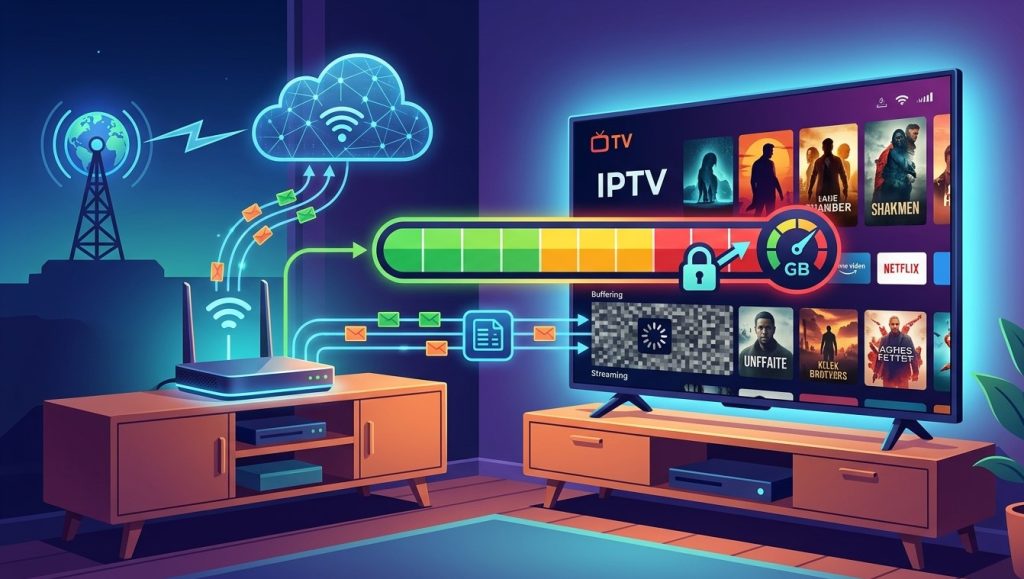
Streaming hundreds of hours of live TV every month sounds great, until you get hit with an unexpected overage charge because your internet plan had a data limit you didn’t know about. Understanding whether your specific internet plan has a data cap, and how much IPTV actually uses, helps you avoid unpleasant billing surprises. Here’s how to figure this out before diving deep into your Indian IPTV USA subscription.
Table of Contents
- What a Data Cap Actually Is
- How to Check If Your Plan Has a Data Cap
- How Much Data Does IPTV Actually Use?
- Estimating Your Monthly IPTV Data Usage
- Which Internet Providers Commonly Use Data Caps
- What Happens If You Exceed Your Data Cap
- How to Reduce Data Usage If You’re Near Your Limit
- Options If Your Plan Has a Restrictive Cap
- Frequently Asked Questions
What a Data Cap Actually Is
A data cap is a monthly limit on the total amount of data your internet plan allows before additional charges apply or your speed gets throttled. Not all internet providers use data caps, some offer genuinely unlimited plans, while others impose limits ranging from a few hundred gigabytes to a couple of terabytes per month, depending on the provider and plan tier.
How to Check If Your Plan Has a Data Cap
The most reliable way to confirm whether your specific plan has a data cap is to:
- Check your internet provider’s account portal, which often displays your plan details and any usage limits
- Review your monthly bill or plan documentation, which typically states data allowances if applicable
- Call your internet provider directly and ask specifically whether your plan includes a data cap and what it is
- Check your provider’s website for plan comparison pages, which usually list data allowances for each tier
How Much Data Does IPTV Actually Use?
Video streaming data usage scales directly with resolution and viewing time. As a general guideline:
| Streaming Quality | Approximate Data Usage per Hour |
|---|---|
| Standard Definition (SD) | 0.7-1 GB |
| HD (720p/1080p) | 1.5-3 GB |
| 4K Ultra HD | 7-10 GB |
Estimating Your Monthly IPTV Data Usage
To estimate your total monthly usage, multiply your typical daily viewing hours by the data usage for your usual streaming quality, then multiply by roughly 30 days. For example, watching 3 hours of HD content daily at around 2 GB per hour would use approximately 180 GB per month, a figure worth comparing against your specific plan’s data cap if one applies.
| Daily Viewing | HD Usage Estimate (Monthly) | 4K Usage Estimate (Monthly) |
|---|---|---|
| 2 hours/day | ~120 GB | ~450-600 GB |
| 4 hours/day | ~240 GB | ~900 GB-1.2 TB |
| 6 hours/day | ~360 GB | ~1.3-1.8 TB |
Which Internet Providers Commonly Use Data Caps
Data cap policies vary significantly by internet provider and even by region within the same provider’s service area. Some major providers have historically included data caps on certain plan tiers, particularly cable-based internet plans, while others, especially many fiber providers, more commonly offer unlimited data as standard. Since policies can change and vary by location, checking directly with your specific provider is the only reliable way to know your plan’s exact terms.
What Happens If You Exceed Your Data Cap
Consequences for exceeding a data cap vary by provider, but generally include:
- Overage charges, an additional fee for data used beyond your plan’s limit
- Speed throttling, where your connection speed is intentionally reduced for the remainder of the billing cycle
- Automatic plan upgrades, where some providers bump you to a higher tier (and higher cost) after repeated overages
How to Reduce Data Usage If You’re Near Your Limit
If you’re concerned about approaching a data cap, consider:
- Lowering your streaming quality setting within your IPTV app, if this option is available, for less critical viewing sessions
- Monitoring usage through your provider’s app or portal regularly rather than discovering an overage after the fact
- Limiting 4K streaming to only the content where it makes the most noticeable difference, using HD for everything else
- Being mindful of multiple simultaneous streams, since running IPTV on several devices at once compounds your total data usage quickly
Options If Your Plan Has a Restrictive Cap
If your current plan’s data cap genuinely limits your ability to enjoy IPTV comfortably, it’s worth exploring:
- Upgrading to a higher-tier plan with a larger or unlimited data allowance
- Switching providers if a better option is available in your area, particularly fiber providers, which more commonly offer unlimited data
- Adjusting your viewing habits to stay within your current limit while you explore longer-term options
Frequently Asked Questions
How do I find out if my internet plan has a data cap? Check your provider’s account portal, your monthly bill, or contact your provider directly to confirm your plan’s specific data allowance.
How much data does watching IPTV in HD use per hour? Roughly 1.5 to 3 GB per hour for HD content, though this can vary depending on the specific stream’s bitrate.
What happens if I go over my data cap? This varies by provider, but commonly includes overage charges, reduced connection speeds, or an automatic upgrade to a higher-cost plan tier.
Can I reduce my IPTV data usage without giving up the service entirely? Yes, lowering your streaming quality setting for less critical viewing and being mindful of how many devices are streaming simultaneously can help manage overall data usage.
Should I switch internet providers if my current plan has a restrictive data cap? If IPTV is a regular part of your household’s viewing habits, upgrading to a higher-tier plan or switching to a provider with unlimited data, if available in your area, is often worth considering.
Stream Confidently, Wherever Your Plan Stands
Indian IPTV USA offers flexible quality settings to help manage your data usage comfortably, whatever your internet plan looks like. Pair your subscription with a reliable Indian IPTV Box for a smooth, consistent viewing experience.