

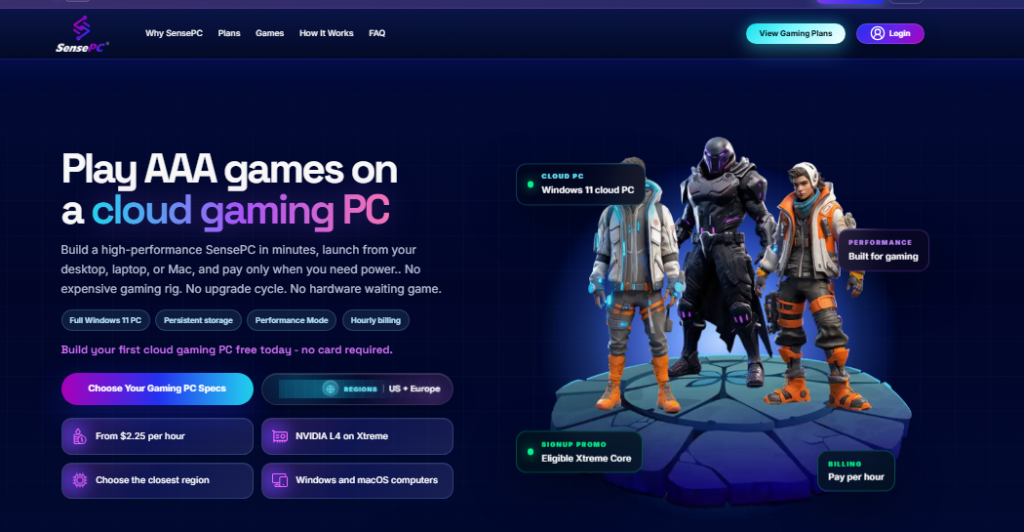
A gaming computer no longer has to sit under a desk to deliver a desktop gaming experience. Cloud computing has introduced another way to access PC hardware: running a computer in a remote data center and connecting to it over the internet.
For gamers using older laptops, entry-level desktops, or devices with limited graphics capabilities, this approach creates new possibilities. Instead of upgrading local hardware, they can explore cloud gaming options that provide access to remote processing and graphics resources.
However, not every service offers the same experience. Some platforms stream selected games from a managed library, while others provide a complete best cloud gaming platforms can configure and operate like a personal computer.
Understanding these differences is essential when comparing a remote gaming PC service, evaluating a cloud desktop, or deciding whether a provider such as SensePC meets your requirements.
What Is a Cloud-Based Desktop?
A cloud-based desktop is a complete computer environment hosted on remote infrastructure. It provides access to an operating system, applications, processing resources, memory, and storage through an internet connection.
Instead of performing all computing tasks locally, the remote machine handles the workload and streams its desktop display to the user’s device.
For gaming, this means the cloud computer runs the game while the local laptop or desktop displays the incoming video and sends player inputs back to the remote system.
A cloud desktop typically includes:
- Operating system: A Windows or Linux desktop environment.
- CPU and memory: Resources for running games and applications.
- GPU: Graphics hardware for supported gaming and visual workloads.
- Storage: Space for operating systems, applications, games, and files.
- Remote connectivity: A browser or desktop client for accessing the computer.
The main distinction is that users access an entire computer rather than simply launching a game through a streaming application.
Understanding the Main Cloud Gaming Options
The phrase cloud gaming covers several types of services. Comparing them based only on advertised graphics performance can lead to the wrong decision.
The most common options include catalog-based game streaming, full cloud gaming PCs, and remote access to an existing physical computer.
1. Catalog-Based Cloud Gaming
Catalog-based platforms host supported games on their infrastructure and stream them to users.
The provider manages the gaming environment, and customers select games from the available library.
This model can be convenient for players who want to start playing without configuring a complete Windows desktop.
However, users are limited to the games and features supported by the platform. Availability can depend on publisher agreements, regional restrictions, subscriptions, and the provider’s game catalog.
2. Full Cloud Gaming PC
A full cloud gaming PC provides a remote desktop environment with configurable computing resources.
Depending on the provider, users may be able to:
- Access a complete Windows desktop.
- Install compatible game launchers.
- Sign in to their existing gaming accounts.
- Install games they own or are licensed to access.
- Configure desktop applications and supported settings.
- Retain files and installed games through persistent storage.
This approach is useful for players who want more control over their gaming environment rather than relying on a fixed game catalog.
3. Remote Access to a Physical Gaming PC
Another option is connecting remotely to a gaming computer that the user already owns.
In this setup, the physical PC remains at home or another location. Remote access software streams its display to another device.
This can be useful when someone wants to access their own hardware while traveling or using a different laptop.
However, the physical machine must remain available, powered, connected, and properly configured. Users are also responsible for its maintenance and hardware upgrades.
Cloud Gaming PC vs. Remote Gaming PC Service
The terms can sound interchangeable, but they describe different arrangements.
A remote gaming PC service may provide a dedicated physical computer, a virtual machine, or a managed cloud desktop. The exact product matters more than the label.
| Consideration | Catalog streaming | Full cloud desktop | Remote access to owned PC |
|---|---|---|---|
| Computer ownership | Provider infrastructure | Provider infrastructure | User owns the PC |
| Game selection | Supported catalog | Compatible games and launchers | Depends on local installation |
| Desktop access | Usually limited | Full desktop environment | Existing desktop environment |
| Hardware maintenance | Provider | Provider | User |
| Configuration flexibility | Platform-dependent | Generally broader | Depends on owned hardware |
| Main purpose | Convenient game streaming | Flexible remote computing and gaming | Accessing an existing PC |
A full cloud desktop is particularly interesting for people who want both gaming and general-purpose computing from one remote environment.
Why Gamers Are Considering Remote Gaming PC Services
A remote gaming PC service can solve several practical problems associated with traditional gaming hardware.
Accessing More Powerful Hardware
A laptop designed for browsing, office work, or education may not have the graphics hardware needed for demanding games.
A cloud gaming PC moves the main processing workload to remote infrastructure. The local device still needs to decode the video stream, display the desktop, and transmit inputs, but it does not perform the entire game-rendering workload.
Avoiding Frequent Hardware Upgrades
Gaming hardware can become outdated as new games introduce higher system requirements.
Renting a cloud computer can provide access to a different configuration without requiring the user to replace a physical GPU or build an entirely new desktop.
The value depends on usage frequency, available configurations, and the provider’s pricing.
Switching Between Devices
A cloud desktop can make it easier to access the same computing environment from different supported desktop or laptop devices.
Instead of keeping every application and setting on one physical machine, users work within the remote environment.
Using One Computer for Multiple Workloads
A full cloud PC may support more than gaming. Depending on its configuration, it can also be used for software development, creative applications, productivity, and other GPU-assisted tasks.
This flexibility can make a cloud desktop useful beyond individual gaming sessions.
What Should You Check Before Choosing a Cloud Gaming Service?
The best cloud gaming option depends on your games, location, network, and expectations. Before selecting a provider, consider these important factors.
GPU and CPU Resources
Graphics hardware influences game rendering, while CPU resources can affect simulation, background processing, and other game workloads.
Look beyond marketing descriptions and compare the actual specifications of each configuration.
Also consider memory and storage. A system with insufficient RAM or disk space may not suit the games you intend to install.
Server Location
Distance between the player and the remote computer can affect responsiveness.
For real-time gaming, lower network latency is generally preferable. Choose the closest available server region and test the connection before relying on it for competitive play.
A nearby server does not guarantee a perfect experience because routing, congestion, and internet service quality also matter.
Game Compatibility
A full Windows desktop does not automatically guarantee that every PC game will work.
Compatibility can be affected by:
- Anti-cheat software.
- Digital rights management.
- Launcher requirements.
- Publisher restrictions.
- Operating-system requirements.
- Game updates and configuration limitations.
Check the provider’s verified game information for titles that are particularly important to you.
Persistent Storage
Some cloud PCs retain installed games and settings between sessions through persistent SSD storage.
This can save time because users do not have to reinstall large games every time they reconnect.
However, check what happens when the computer is stopped, when a plan expires, or when the cloud PC is deleted. Storage charges may continue even when compute is not running.
Access Methods
A provider may offer browser access, a dedicated desktop application, or both.
Browser access is convenient, while a native client may provide additional streaming or device features.
Check supported operating systems and devices before purchasing. A service designed for desktop and laptop access may not support mobile streaming.
Billing and Usage Limits
Compare the total cost rather than only the advertised hourly rate.
Look for:
- Hourly, daily, or monthly plans.
- Included runtime limits.
- Charges for persistent storage.
- Idle and stopped-computer billing rules.
- Additional resource costs.
- Cancellation and renewal conditions.
A flexible billing model can be useful for occasional gaming, but frequent users should calculate their expected monthly usage.
How SensePC Fits Into the Cloud Desktop Gaming Market
SensePC provides configurable cloud computers for gaming, development, creative work, and other computing needs.
Its approach centers on a full cloud desktop rather than a fixed game-streaming catalog. Users can provision a supported computer configuration, connect remotely, and install compatible applications and games.
For gaming, SensePC offers Windows 11 Xtreme configurations using NVIDIA L4 graphics with 24 GB of GPU memory.
Choose a Configuration for Your Workload
SensePC offers three Xtreme configurations:
- Xtreme Core: 4 vCPU, 16 GB RAM, and 220 GB starting SSD.
- Xtreme Pro: 8 vCPU, 32 GB RAM, and 500 GB starting SSD.
- Xtreme Ultra: 16 vCPU, 64 GB RAM, and 500 GB starting SSD.
The configurations share the NVIDIA L4 GPU, while CPU, memory, and starting storage differ.
The best option depends on the requirements of the games and applications being used. More resources do not guarantee a particular frame rate or eliminate network-related limitations.
Use Your Own Game Accounts
SensePC Xtreme plans come prepared with Steam and Epic Games Launcher.
Users can sign in with their own accounts and install games they own or are licensed to access. Other compatible Windows applications and launchers may also be installed.
This provides more desktop flexibility than a service limited to a predefined catalog. Nevertheless, individual game compatibility can vary, especially where anti-cheat or publisher restrictions apply.
Keep Your Desktop Environment
Persistent SSD storage allows users to retain installed games, launchers, settings, and files while the computer and storage remain allocated.
This can make it easier to return to an existing gaming setup after stopping a cloud PC.
Users should understand the storage billing rules and back up important files before deleting a computer, because deleting the PC removes its attached SSD data.
Choose a Billing Model
SensePC offers Hourly, Daily, and Monthly access:
- Hourly: Designed for flexible usage, with no total uptime limit. Compute charges stop when the PC is stopped, but allocated SSD storage continues to be billed.
- Daily: Supports up to 10 hours of total uptime per day.
- Monthly: Supports up to 180 hours of total uptime during the monthly cycle.
Review the current pricing and usage terms for the selected configuration and location before launching.
Connect Through Browser Access or Performance Mode
SensePC supports browser-based desktop access and Performance Mode through the native Amazon DCV client on supported desktop and laptop systems.
Performance Mode is the recommended connection option for gaming. Actual responsiveness depends on the selected region, network quality, routing, game, and settings.
SensePC desktop streaming is currently intended for supported Windows and macOS desktop or laptop devices, rather than phone or tablet streaming.
Explore the SensePC cloud gaming PC and review the available service locations before selecting a configuration.
Who Benefits Most From a Cloud-Based Gaming Desktop?
A cloud desktop can be useful for different types of users, but it is especially worth considering in the following situations.
Laptop gamers: People whose current laptops lack dedicated gaming graphics may use a cloud PC to access more capable remote hardware.
Occasional gamers: Users who play only on selected days may prefer flexible access instead of purchasing a computer that remains unused much of the time.
Players who want desktop control: Gamers who need their own launchers, applications, and files may prefer a complete cloud desktop over a catalog-based platform.
Traveling users: People who move between supported desktop or laptop devices may appreciate having a consistent remote environment.
Multi-purpose users: Developers, creators, and professionals who also play games may find a configurable cloud PC useful for several workloads.
A local gaming PC may still be the better option for people who need offline access, consistently minimal input latency, or compatibility with games that restrict cloud environments.
Final Thoughts
Cloud gaming options have expanded beyond simple game-streaming libraries. A cloud-based desktop can provide a complete remote computer, while a remote gaming PC service can offer an alternative to purchasing and maintaining local hardware.
The right choice depends on the level of control you need, what are some cloud gaming services the games you play, the available server regions, and the reliability of your internet connection.
SensePC is one option for users who want a configurable cloud desktop with NVIDIA L4 graphics, persistent SSD storage, and flexible access plans. Its full desktop approach can suit gamers who want to use their own supported game launchers while keeping other computing workloads in the same environment.
Before choosing a provider, compare specifications, test network responsiveness, verify game compatibility, and calculate the cost based on your actual usage. Those checks will help you find a cloud gaming setup that fits your needs.